How to keep your engineering org on its AI coding budget: pace, forecast and alerts that fire in time
Every AI budget that got blown this year had a dashboard. What it did not have was a number that changed before the overrun instead of after. This is how to run AI coding spend the way you would run a burn rate: three numbers, budgets in layers, an alert on the projection rather than the cap, and a plan for the day the forecast says you will overrun.
The short version. Month-to-date spend cannot keep you on budget: by the time it says 100% the month is over. The number that can is the pace: what the month will finish at if it continues as it has. Set budgets at three layers, forecast the month from the first days, and alert on the forecast to the person who owns the budget. Add a second, faster tripwire for a runaway session. Give every developer their own readout. Then treat a forecast overrun as a conversation about a repository or a model, not about a person.
Why the month-end total is the wrong instrument
Cloud budgets got tamed by a simple discipline: a forecast, updated daily, with an alert on the forecast. AI coding spend has arrived without that discipline, and the results are public — Uber burned its full-year 2026 AI coding budget in four months; CloudZero found that 80% of companies miss their AI forecasts by 25% or more. Both Anthropic and OpenAI shipped admin spend limits over the summer, which is how many customers asked.
A limit is a cap, though, and a cap is a number you discover you have reached. The vendor consoles alert at 75% and 90% of spend. On a month that is going to finish at 130%, the 75% alert arrives a little past the middle of the month, when more than half of the month’s spending is already done. What a budget owner needs in the first week is not how much has been spent, but where the month is heading.
Three numbers, not one
Every scope that has a budget — the org, each team, each developer — should show the same three numbers, side by side:
- Spent — month to date, live. In CodeCost this is a 10-second tick, exact for today and within five minutes for the rest of the month.
- Pace — the projected end of month, as a dollar figure and as a percentage of the budget. On pace for $23.7k against a $22k budget.
- The budget — and how far along the month is, so 40% spent halfway through the month reads as comfortably on track, and 40% spent in the first week reads as a month heading far over budget.
The pace is the one that changes behaviour, because it is the only one that is still negotiable when you read it.
Spend this month
How a forecast should work (and why linear is not enough)
The obvious projection is linear: spend so far, divided by the fraction of the month elapsed. It is the right fallback and it is what most tools stop at. It is also wrong in a predictable direction, because spend is not uniform across a month — or across a day. At 09:42 a linear burn assumes 40% of the day is already spent, when yesterday’s own curve says 20%; a month with a release in the last week finishes higher than its first half suggests.
CodeCost’s forecast learns from the shape of the previous month. It looks at how much of last month’s total had landed by the same point in the month and scales this month to match — so a month that usually ends with a heavy last week is forecast that way. In the first week, while there is little to compare, the forecast leans on the simple linear burn and moves to last month’s shape as the days add up; a first month uses the linear burn throughout. The same forecast drives the budget card and the pace line in the chart, so the two always agree.
The point for anyone building or buying: ask what the forecast is made of. If the answer is “spend divided by days elapsed”, expect it to overreact to a busy first few days and to miss a heavy final week.
Budgets in layers
One org-wide number is not a budget, it is a hope. A budget you can act on has three layers, and the first month’s job is to set them:
- The org budget. The number finance signed off on. This is the roll-up everything else reconciles to.
- Per-team budgets. The unit that has a manager. Set them from last month’s actual shares, not from headcount — a platform team running migrations spends five times what a similar-sized team spends on CRUD, and that is usually correct. Team spend is attributed by current membership, so a developer who moves teams carries their spend with them, and a developer on two teams counts fully in both (team buckets overlap; they do not partition the org total).
- Per-developer budgets. Start with a default — what a new hire gets on day one and what the menu bar shows them — then give an individual budget to the few people running the overnight refactors, set deliberately rather than discovered.
Every layer gets its own thresholds. The defaults are 80% and 100%; you can set any ascending list. And every layer gets its own alert recipients: the team’s manager for the team budget, finance for the org, the developer themself for their own.
Alerts that fire once, to the right person, in time
Three properties make a budget alert useful instead of noise.
It fires on the crossing, once. An alert for “team Platform crossed 80% of its September budget” should be sent exactly once, even if the checker runs every few minutes and even if two checkers run at the same time. CodeCost claims each org × scope × month × threshold in a ledger before sending, so a crossing is recorded once and mailed once. Switching a team from the default budget to a custom one mid-month does not re-fire thresholds that were already crossed.
It carries the projection. The email says the threshold, the month-to-date against the budget, and the projected end of month — because crossing 80% near the end of the month and crossing 80% halfway through call for different responses, and the projection is what tells them apart.
It goes to whoever can act. An alert that reaches a shared finance inbox in the last days of the month only records what happened. An alert that reaches the team’s manager mid-month, while there is still time to change course, is an intervention.
The second tripwire: catching a runaway session the same hour
Monthly thresholds are the right instrument for drift. They are the wrong one for the other way budgets die: a single agent left looping overnight, a subagent fan-out that nobody expected, a script that re-runs a long context every minute. Those do not show up as a threshold crossing until it is far too late; they show up as a rate.
So run a second, faster check. CodeCost’s burn detector compares spend in the last 15 minutes against the average 15-minute window over the trailing 24 hours, per developer, with a sensitivity you set; a floor of $1 per window stops a quiet org from alerting on its first request of the morning, and a fixed ceiling in dollars per hour catches the case where a whole org is simply going fast. It re-arms once per hour per reason, so a genuine incident produces one alert an hour rather than one a minute. This is the alert that finds the overnight loop at 02:15 instead of on the invoice.
The cheapest correction is the one the developer makes themself
Most spend corrections should never reach a manager. A developer who can see their own month-to-date against their own budget in the menu bar — without opening a console — notices the $40 morning and asks whether the effort setting was necessary. That readout should show the effective cap (their own budget, or the org default if they have none), when the month resets, and let them request an increase with a reason attached. The device only ever asks; raising a budget is an org decision, granted in the console. That split matters: it keeps the developer in control of their own day and the org in control of the total.
It also changes the tone of the whole thing. A budget you can see is a tool. A budget you find out about from your manager is surveillance.
Keep the record of how months ended
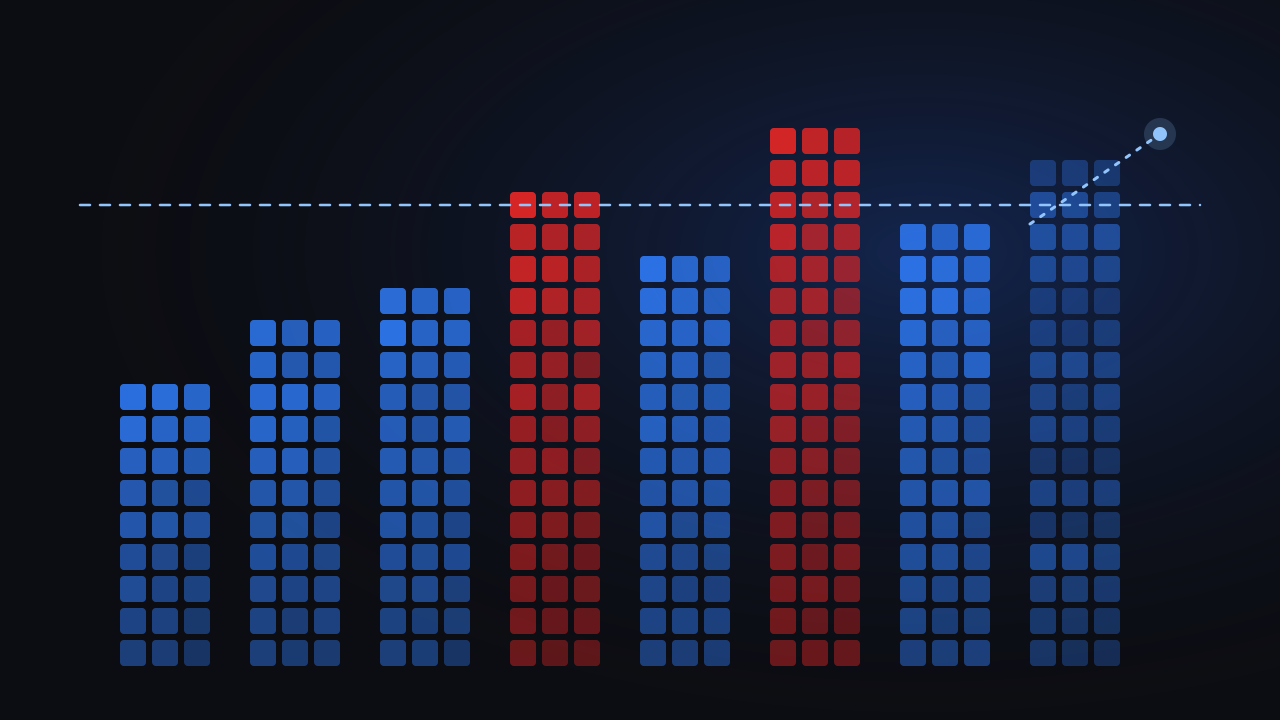
A budget history is how you learn whether your budgets are right. Keep it as a ledger: how each month finished against the budget that was in force at the time, written at month close and never recomputed. A budget raised in August must not rewrite how June looked. Then the chart on the wall — each month as a share of its own budget, the over-budget months in red, the current month projected in a lighter shade — tells the truth about the org’s pattern: consistently at 95%, or lurching between 60% and 130%. The first is a budget that fits; the second is a budget that needs layers.
Budget history · Apr–Sep
Organization
Frontend
Platform
The playbook
- Week one: measure before you budget. Install the agent on every Mac, let a full week land, and read the shares by team, repository and model. Do not set numbers you cannot yet explain.
- Set the org budget to what finance approved, with thresholds at 80% and 100% and finance on the alerts.
- Set team budgets from last month’s shares, rounded up. Put the manager on each team’s alerts.
- Set the per-developer default at roughly the 80th percentile of individual spend. Give the handful above it an individual budget, on purpose, after a conversation.
- Turn on the burn detector at a moderate sensitivity and lower it after the first false positive, not before.
- Read the pace, not the total. Make “on pace for” the number in the weekly engineering review.
- Review the ledger monthly. A team that finishes at 60% three months running has a budget that is hiding something; one at 130% needs either a bigger budget or a look at its repositories.
What to do when the forecast says you will overrun
The alert arrives. The temptation is to send an email to the team. Do not; first find out why, and it takes about two minutes:
- Which repository? If 78% of the overrun is in one legacy service, the cause is that codebase — its size, its test suite, the migration it is going through — and the conversation is about that.
- Which model, and what effort? A team whose default quietly moved to the largest model, or to a higher effort setting, doubled its bill without anyone’s day changing. This is the most common cause and the easiest to reverse.
- Cache reads. When the ratio of cache-read tokens to input tokens drops, cost climbs with nothing else changing. A tool update or a changed system prompt is usually behind it.
- Subagents. A task that fans out into eight subagents costs like eight tasks. Often the right trade — but it should be a visible one.
- One session. Sometimes it is one six-hour session with a full context window in play. That is a real, singular event, and the right response is a conversation, not a policy.
Then one of three things happens: you fix a cause (a model default, a cache regression), you accept the overrun for a reason you can name (the migration ships this month), or you raise the budget — deliberately, with the ledger recording that the month finished over the old number. All three are fine. What is not fine is finding out on the invoice.
What no forecast can do
CodeCost will not stop a request. It is not on the path between the tool and the provider — that is what makes it safe to put on every laptop, and it is also why there is no hard cap. Alerts on the projection, the burn tripwire and the developer’s own readout are the levers; if you need an enforced ceiling, that is a vendor console or a gateway. Nor will a forecast see a cost you are not measuring: if half the team’s usage is on a tool you do not track, the pace is a pace of half the bill. Coverage first, then budgets.
For where the numbers come from and the four ways to collect them, read How to track AI coding spend across your engineering org.
See your org’s pace from the first week of the month.
Free during beta · macOS · nothing to configure