CodeCost vs LLM gateways and observability platforms
“We already run an LLM gateway, so we can see what our developers spend.” It sounds right, and it is only partly true. Here is why, and what Portkey, LiteLLM, Helicone, Langfuse and Opik each see of your coding-agent bill.
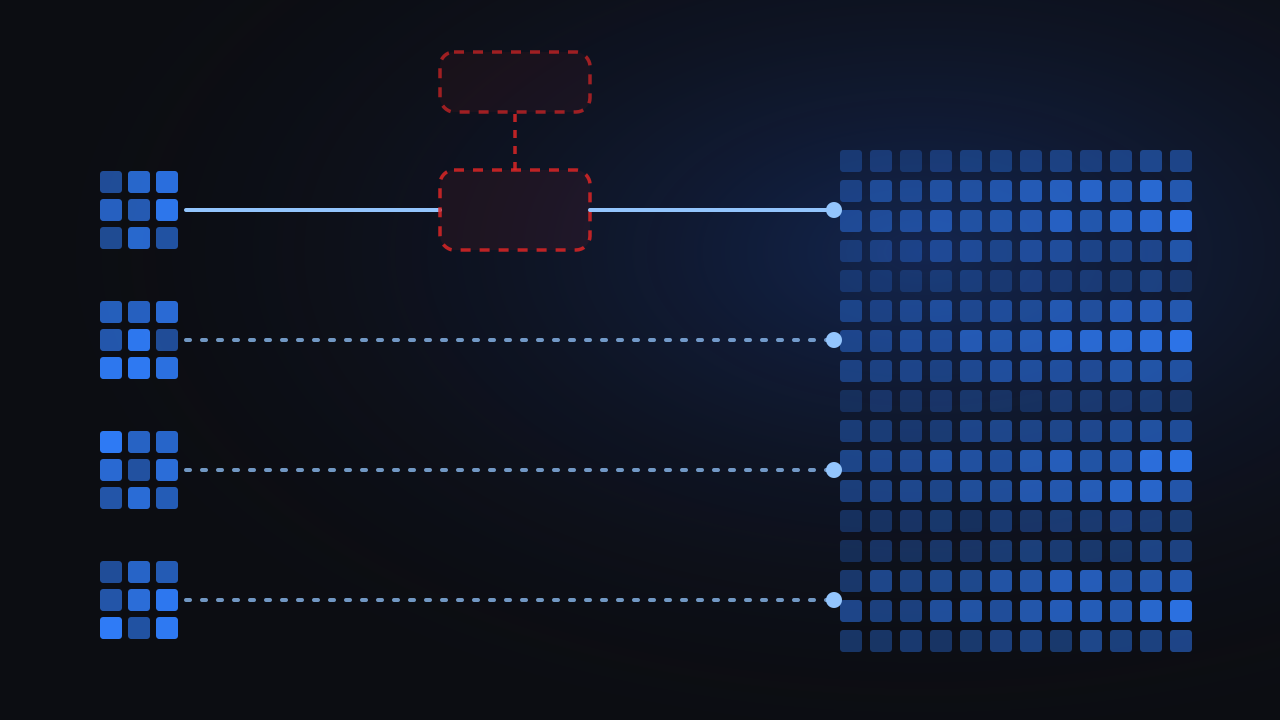
The short version. A gateway sees the API calls that are routed through it. Coding agents on developer laptops are not always: usage on company seats or personal plans is not routed through a gateway by default, and the tools that can be pointed at a gateway need an environment variable set in every shell on every machine. What does pass through is on the request path: the proxy sees the prompt and the code, and when the proxy is down, the tool is down. CodeCost takes the other approach: an agent on each developer’s machine reads the session files the tools already write, keeps prompts and code on the machine, and cannot break a tool.
Two different problems that look like one
There are two AI bills in an engineering org, and they need different tools.
The first is the LLM calls your product makes: the chatbot, the summariser, the extraction pipeline. Those calls are made by code you own, from servers you run, with keys you issue. Putting a gateway in front of them is exactly right: one base URL, one place for keys, rate limits, retries, fallbacks, and a log of every request with its cost. Portkey, LiteLLM, Helicone and the like are built for this and they are good at it. Trace-level platforms such as Langfuse, LangSmith and Arize add the prompt-and-response detail an application team needs to debug quality.
The second is the coding tools your developers use: Claude Code, Codex, Gemini CLI, Copilot in VS Code, Cursor. Those calls are made by a vendor’s binary, on a laptop, often against a vendor’s subscription plan, by a person who did not write the code that makes the call. That is a different shape of problem, and it is the one this article is about.
What a gateway actually sees of coding-agent spend
The part it never sees: seats and personal plans
Not all coding-agent usage comes through a company API key. A developer signed in to a company seat, such as a Claude Team or Enterprise seat or ChatGPT Enterprise with Codex, uses that account’s own login, and unless someone sets it up otherwise, the tool talks straight to Anthropic or OpenAI. A developer on a personal plan such as Claude Max does the same, outside any company setup. None of that traffic passes through your gateway by default, so it never shows up there. Company seats appear only in each vendor’s own admin console, one vendor at a time, and a personal plan appears nowhere the company can see. If part of your team works this way, a gateway dashboard is missing that part of your spend, and nothing on it tells you so.
The part it can see, if every developer sets it up
For API-key usage, some tools can be pointed at a gateway. Claude Code honours ANTHROPIC_BASE_URL and ANTHROPIC_AUTH_TOKEN, and Portkey and LiteLLM both document the setup. The setup is per tool, per machine, per shell profile. It has to survive tool updates, new laptops, a developer who opens a fresh terminal without the variable, and desktop apps that do not read the shell environment at all. The gateway then shows you the developers who configured it correctly and nothing about the ones who did not, and you cannot tell the difference between “no spend” and “not routed”.
This is why teams that take the gateway route often end up building their own monitoring on top of it: scripts that check every laptop’s configuration, jobs that reconcile gateway logs against the vendor invoice, and dashboards that turn raw request logs into spend by team. A gateway also keeps usage and budgets in its own web dashboard, so nothing reaches the developer’s machine: a view of their own usage, or a way to ask for more budget, is one more thing to build. That is a second layer to maintain, and it needs attention every time a tool updates or a new one arrives.
With a gateway
With CodeCost
The part it sees too much of
A proxy sees the request. For a coding agent, the request is the prompt, and the prompt is your source code, sometimes a .env file, sometimes a customer record from a log. Gateways offer redaction and retention controls, and self-hosting keeps it in your VPC, but the architecture is what it is: the code passes through a service whose job is to record requests. For your product’s calls you have already made that decision deliberately. For every engineer’s working session, it deserves a separate one.
And it is on the path
When the gateway is slow, every coding session is slow. When it is down, every coding session is down. A gateway team knows this and runs it accordingly for production traffic. Making developer tooling depend on the same uptime is a cost you pay every time it is not met, and the developers who hit it will route around it, at which point the numbers are wrong again.
Where the observability platforms come in
Langfuse, LangSmith and Arize Phoenix are trace-level: you instrument your application to send prompts, completions and costs. They are not built to observe a vendor’s CLI on a laptop, and for the same privacy reason above, you would not want a full trace of every developer session in them.
Opik is the exception worth naming, because Comet announced a Cost Intelligence feature in June 2026 aimed squarely at Claude Code and Codex: spend per engineer and team, attribution to tasks, and visibility into which MCP servers, skills and plugins are loaded. It is a cost view inside an LLM observability platform. The questions to ask of it are the ones this article is about: what it needs installed or configured on each machine, what it sends off the machine, and what happens to the tool if it stops.
What a local agent sees instead
Every coding tool writes a session log on the machine it runs on, whether the call went to an API key or a company seat, and whatever the environment variables say. Per turn it records the model, the input and output tokens, cache reads and writes, timestamps, and the working directory. CodeCost’s agent reads those files.
- It sees seat usage and API usage alike, because the log does not care how the call was billed. One developer is one total across Claude Code, Claude Desktop, Codex CLI and Desktop, VS Code, Gemini CLI, OpenCode and Antigravity.
- It needs nothing configured. No base URL, no token, no shell profile. A signed macOS app from an invite or your MDM; data flows immediately.
- It sends 36 fields and no more. Tokens, model, timestamps, latency, cost, a session id, the repository name. Never prompts, responses, API keys, file paths or the developer’s email. The list is printed in full.
- It fails open. It is not on the request path, so if it stops, nothing else does.
Then the console does what a gateway’s cost tab does not attempt for coding tools: spend by team, developer, repository and model; a month forecast from pace, from the first days; an alert on the projection; a manager-scoped view; and a budget in each developer’s menu bar.
Side by side
| Gateway (Portkey, LiteLLM, Helicone) | Trace platform (Langfuse, LangSmith) | CodeCost | |
|---|---|---|---|
| Built for | Your product’s LLM calls | Debugging your product’s LLM calls | Developers’ coding tools |
| Sees seat and plan usage (Claude Team/Enterprise, ChatGPT Enterprise, Claude Max) | No | No | Yes |
| Sees API-key usage from coding tools | If routed on every machine | Not without instrumenting | Yes |
| Setup per developer | Env vars, per tool, per machine | SDK in code | Install one app |
| Sees prompts and code | Yes, in transit | Yes, by design | Never leaves the machine |
| If it goes down | Tools stop | Traces drop | Tools keep working |
| Spend by team and repository | With metadata tagging | With tagging | Yes |
| Month forecast and alerts | Budgets per key | No | Pace forecast, alerts |
| Rate limits, fallbacks, key management | Yes | No | Not its job |
| Prompt-level debugging | Logs | Yes | No, by design |
CodeCost never blocks your developers
It does not route, retry, fall back, rate-limit or cap anything, and it does not show you a prompt, ever. CodeCost is a measurement tool for your developers’ coding tools, and it stays out of the request entirely: it can alert and forecast, but it can never slow down or stop a session. That is what makes it safe to put on every laptop.
One honest number for AI coding spend
A gateway is built for the LLM calls your product makes. Your developers’ coding tools are a different problem, and a proxy is the wrong shape for it. CodeCost reads the sessions on each machine, including the company seats and approved personal plans a gateway never sees, without touching the request path or the prompt. That gives you one honest number for your AI coding spend, instead of one with a hole in it.
For the broader picture, including the five places AI coding spend numbers live and the four ways to collect them, read How to track AI coding spend across your engineering org. For the vendor dashboards, CodeCost vs Claude Code Analytics.
The coding-tool spend your gateway never sees.
Free during beta · macOS · nothing to configure